How to Store a Seed Phrase Offline
Store a seed phrase offline and the account is still yours when the laptop is imaged, sold, or seized. The phrase is the whole secret. A market mnemonic is the login. A wallet seed is the coins. Handwritten paper, stamped steel, and a KeePassXC database on a USB you unplug are the copies that stay offline. A Tails persistent volume is that USB when Tails is already how you work. A photo, a notes app, and a password manager that syncs are copies on somebody else's disk.
A market mnemonic and a Monero seed are checked differently, and the storage follows from the disaster you are actually likely to have. The Tails volume is the copy with a wrong folder that looks identical to the right one until you reboot.
What a Seed Phrase Controls
A seed phrase is the ordered list of words the software shows once and then expects you to keep. Whoever has the list has the account. The wallet file, the username, and the PIN are conveniences around it.
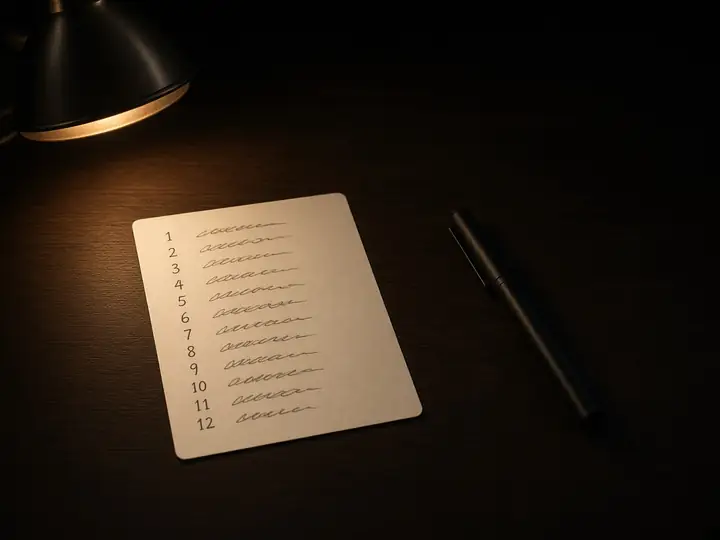
On a market the list is a mnemonic, not a wallet. Vortex shows a 12-to-24-word mnemonic once at first login. The username plus those words is the recovery. Vortex collects no email and no phone number, and the withdrawal PIN does not restore a lost phrase. TorZon shows its mnemonic once at registration, and support cannot rebuild the account from a username. A stolen mnemonic is the account. A lost one leaves the balance where it is.
A wallet seed is the keys. Set the wallet up first, the way the Monero wallet setup describes, and store the list that screen actually shows. The long-standing Monero seed is 25 words from a list of 1,626, and that list is not BIP39. The first 24 words carry the private spend key. The 25th repeats one of those 24, chosen as a checksum. If the last word appears nowhere earlier in the list, the phrase was copied wrong. A 16-word seed is Polyseed, a different scheme, with its own checksum and the wallet's creation date included. A 13-word seed is the MyMonero format. Padding a 16-word seed out to 25 produces a different secret. Nudging a 25-word Monero word toward a Bitcoin word you half remember changes the key.
A Bitcoin-style BIP39 phrase is 12 or 24 words from a list of 2,048. The last word carries a short checksum: 4 bits on a 12-word phrase, 8 bits on a 24-word phrase. A wallet can accept a mistyped 12-word phrase, about one try in sixteen still looks valid, and then show a zero balance and a new address. "Valid checksum" means the words are internally consistent. It does not mean they are yours.
Either kind of phrase derives every key that account will ever use. The coins sit on the network. The market balance sits in the market's database, unlocked by the mnemonic. The file on disk is a cache. Lose the words and the cache cannot be rebuilt. Someone else with the words spends the coins, or logs in as you, without your password.
The Rule: It Never Touches a Connected Device
Keep the phrase off any machine that can reach a network, including a phone. Typed, photographed, or pasted on a device that syncs, the phrase becomes a second copy you cannot delete.
That covers iCloud Notes, Google Photos, a Telegram Saved Message, mail sent to yourself, Chrome's password store, and a Bitwarden or 1Password account. Each of those products is built to put the same text on a server and on the next device you sign in. Deleting it on the phone leaves the server copy. KeePassXC is a different object when the .kdbx file lives on a USB you unplug, because nothing in that setup uploads the file. The same .kdbx inside Dropbox, iCloud Drive, or a synced Documents folder is a cloud copy with a password on it.
The words have to be typed once, into the wallet or into the market's recovery box, on a system you trust, while you still have the original in front of you to compare. A website that offers to check a seed is collecting seeds. The comparison that matters is an address you already use, or a login on an address you already verified, not a form on the clearnet.
Offline Options, Ranked
Paper in two places is the default. Steel, a KeePassXC file, and a Tails volume earn their place when paper's failure is the one you actually face. Make the second copy fail a different way from the first. Two copies in the same bag are one copy.
| Place | Use it when | It fails when |
|---|---|---|
| Handwritten paper, two locations | One phrase, and you want a copy you can read in ten years with no software | Fire, flood, or someone who can open that drawer |
| Stamped steel | The phrase unlocks a balance you cannot replace, and fire is a real risk | The only plate is stolen. A second copy still has to exist |
| KeePassXC on an unplugged USB | Several secrets, and the database passphrase lives apart from the stick | The passphrase is forgotten, or the file sits in a synced folder |
| Tails Persistent Storage | You already boot Tails, and the database is in the Persistent folder | The USB is stolen with the passphrase, or the file was saved in Home and wiped at shutdown |
Handwrite the paper. Number the lines. A laser printer on a network keeps a job, and the machine it passed through is a connected device. On a 25-word Monero seed, check a doubtful word against the 1,626-word list, from a copy of the list you already have. Pasting the phrase into a search box to look a word up publishes the phrase. One ambiguous word, "able" for "ability", restores nothing.
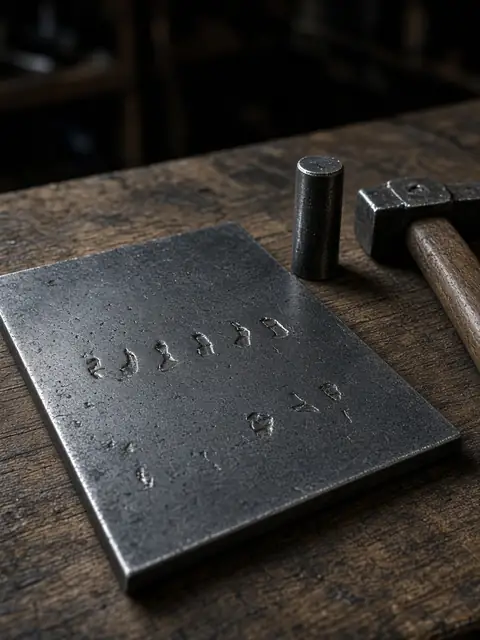
Steel is paper that survives a fire. Stamp the words. A marker fades, and a plate in the same drawer as the only laptop did not add a second location. No brand of plate changes that. The plate is a backup of the words. It is not a wallet, and it does not spend anything by itself.
KeePassXC fits once the list is a market mnemonic, a Monero seed, and the passphrase on a PGP key. One encrypted file, one passphrase you can still type in five years, the file on a USB that is not in the laptop every day. The entry title is a label you will recognize. The title is not the first four words of the phrase. A hardware wallet, if you use one for spending, changes none of this: the device dies, and the phrase is what loads the same keys into the next device.
The Tails Persistent Volume, Step by Step
Save the phrase in a .kdbx database inside the Tails Persistent folder. Since Tails 7.6, released 26 March 2026, the app that creates that file is Secrets. It opens a KeePassXC database, and KeePassXC can still be installed as additional software if you want that interface. The folder is there after you create Persistent Storage, turn on Persistent Folder, restart, and unlock at the Welcome Screen. A file saved in Home is deleted when Tails shuts down, and until that shutdown it looks saved.
Create the Persistent Storage
Boot the Tails USB. Open Apps → Tails → Persistent Storage and create the storage. Turn on Persistent Folder before you rely on it. Use five to seven random words, and do not write them on the stick, because the stick is the thing a thief takes. The volume is LUKS on the free space of that USB. Tails asks for a restart before the volume can be used. The volume passphrase cannot live only inside the volume. You need it to unlock the volume. Memorize it, or write it on a card that stays off the USB.
Unlock it before the session
At the next Welcome Screen, unlock Persistent Storage, then start the session. In Files, the Persistent folder is in the sidebar. Start the session without unlocking and that folder is absent. That absence is the check that the volume stayed locked. If the folder is missing after a correct unlock, Persistent Folder is still off. Turn it on under Apps → Tails → Persistent Storage and restart.
Save the database in Persistent
Open Apps → Accessories → Secrets Password Manager. Create a new safe and save it in the Persistent folder. Secrets looks for a file named Passwords.kdbx and offers to unlock that name on the next boot. Another filename still works if you open the file yourself. The desktop and Home are the wrong places, and they look like the right places because the save dialog opens there. The database passphrase is a second secret, different from the volume passphrase.
Read the entry back after a reboot
Add one entry. The title is the label ("vortex", "monero"), and the words go in the password field or the notes, in order, numbered. Lock the database. Shut down. Boot again, unlock the volume, open the file, and read the entry against the original before you destroy the copy you typed from. Then boot once without unlocking and confirm the file is not sitting in the amnesic home. Shut the machine down when you are finished. Tails is built to wipe session memory as it powers off, and on some hardware that wipe fails. An unplugged USB with the database locked is the part you control either way.
Two passphrases now stand between a found USB and the words. Lose either one and this copy is gone. The paper copy exists so that a dead stick, or a forgotten volume passphrase, is not the end of the account.
A Passphrase on Top
An extra passphrase makes the same words restore a different wallet, and a wrong passphrase does it with no error. You get a zero balance and a fresh address, and the software treats that as success.
On a BIP39 seed the extra string is optional. People call it the 25th word, or the 13th. The nickname is wrong. The string is anything you choose, capitals and spaces included, and the 2,048-word list has nothing to do with it. The 12 or 24 words alone restore the wallet that has no extra string. Your coins are in the other one. There is no "wrong passphrase" dialog. There is only an empty wallet that looks new.
On a 25-word Monero seed the 25th word is already taken. It is the checksum. The optional extra is a separate passphrase, a seed offset in the Monero GUI. The 25 words alone restore the wallet that has no offset. A 16-word Polyseed has its own optional passphrase and the same silence when the string is off by a space. The Monero mnemonic entry covers both lengths: 25 words with the checksum in the last word, and 16 words with the wallet's creation date included.
Write the extra string down, and write it somewhere other than the card that holds the words. On that card, a mark that a passphrase exists is enough ("offset: yes"), so a later restore does not stop at the empty wallet and get written off as a lost balance. If both pieces sit in one drawer, you have one copy again. If you will not keep a separate string for twenty years, skip it. A seed with no extra passphrase, stored in two places, beats a scheme you cannot reproduce on the day the laptop dies.
The Mistakes That Lose Coins
The coins go missing in a short list of ordinary moves. Each one either publishes the phrase or destroys the only copy.
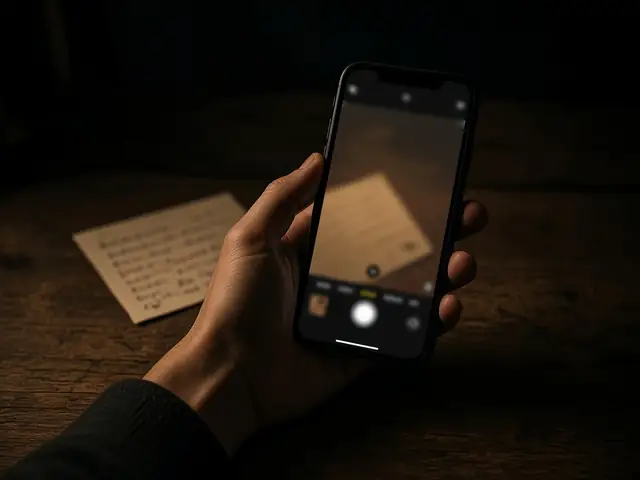
Photographing the card puts it in the camera roll, and the camera roll uploads. Delete on the phone leaves Google Photos or iCloud. A screenshot of the wallet's seed screen does the same thing, and it also lands in whatever the desktop syncs.
A notes app, a draft email, and a chat with yourself exist to sync. So does the clipboard history on a normal Windows or macOS install. Paste the phrase into a password manager and then leave that machine, and a clipboard manager still has the line. On Tails, shut down. On a daily laptop, don't type the phrase at all.
Saving the .kdbx in the Tails home folder is the step people miss, because the file is right there on the desktop until shutdown. Home is wiped on purpose. The Persistent folder is the one that remains, and only for a session you unlocked.
One copy is the other quiet failure. A fire, a lost USB, a passphrase you changed and forgot. The second copy has to be complete, and it has to live where the first disaster does not reach. Splitting the words into halves leaves you with no complete copy. Lose either half and the phrase is gone. A 24-word BIP39 list cut into two stacks of 12 is a scheme you invented: the wallet has no "restore the other half" button, and a market mnemonic was never split that way. SLIP-39 shares are a real split, and only inside a wallet that created them. A Monero 25-word seed and a Vortex mnemonic are not those shares.
Skipping the read-back loses the coins with the phrase still in the drawer. Word 14 and word 15 swapped, or a 25-word Monero word nudged onto the BIP39 list, restores an empty wallet or restores nothing. Number the lines. Read them back in the real wallet, compare the address with one you already use, and do it while the original is still on screen. If an extra passphrase is set, the address matches only when that string is entered with the words. After that check, the paper is a phrase you have already restored.
Seed Phrase Questions
Where should I store a seed phrase?
Handwritten paper in two places that fail differently: one at home, one where a fire at home does not reach. Stamped steel earns its place when the phrase unlocks a balance you cannot replace. A KeePassXC database inside a Tails persistent volume fits when you already boot Tails and you have several secrets to keep. Phones, photo libraries, and synced notes are the places that upload a copy.
Is a password manager safe for a seed phrase?
A KeePassXC database is a safe place when the file sits on a USB you unplug, or in a Tails Persistent folder, and the database passphrase is not written on that USB. Since Tails 7.6 the preinstalled app is Secrets, and it uses that same .kdbx file. Bitwarden, 1Password, Chrome, and iCloud Keychain sync the entry to a server and to every device on the account. The file's location decides it. The app's name does not.
What if I lose my seed phrase?
A lost phrase is a lost account. Vortex and TorZon have no email reset, and a withdrawal PIN does not rebuild the mnemonic. A Monero seed with no second copy leaves the coins on the chain and nobody able to spend them. If one copy still exists, make another before you need it. If none exists, there is no later step.
Should I split my seed phrase?
Keep two complete copies in two places. Split into halves, and one lost half ends the phrase. A market mnemonic and a 25-word Monero seed are not Shamir shares. SLIP-39 shares restore only in a wallet that understands the shares it created. Two full copies beat a split you invented on paper.